How do I change between Dark and Light Windows Theme
Quick start (everything Light or Dark) ⚡
-
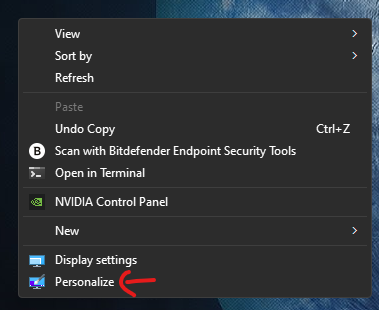
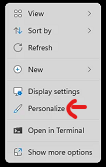
Right-click the desktop → Personalize 🖼️


-
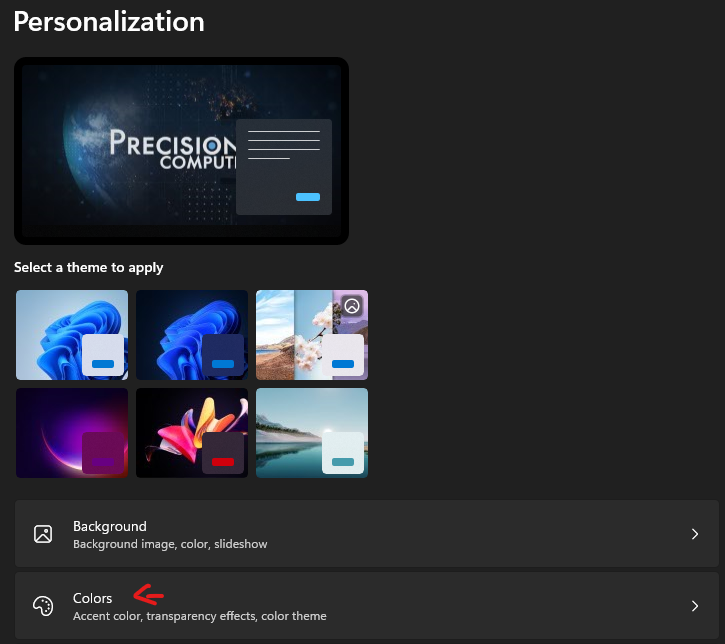
Go to Colors 🎨

-
Under Choose your mode select:
-
Light ☀️ — makes both apps and Windows menus light
-
Dark 🌙 — makes both apps and Windows menus dark
-
Different look for Apps vs. Menus (Custom) 🧩
Want, say, a light taskbar but dark apps (or the reverse)? Do this:
-
Right-click desktop → Personalize → Colors 🎨
-
Set Choose your mode to Custom 🛠️
-
Pick each separately:
-
Choose your default Windows mode = Menus/UI (Start, taskbar, Settings, File Explorer chrome) 🧭
-
Light ☀️ or Dark 🌙
-
-
Choose your default app mode = Most apps 🗂️
-
Light ☀️ or Dark 🌙
-
-
If you switch back to Light or Dark (not Custom), Windows will make both menus and apps match that choice.
Optional niceties ✨
-
Transparency effects: On the same Colors page, toggle Transparency effects to taste 🫧
-
Accent color: Still in Personalize → Colors, choose Accent color (Auto/Manual) and whether it shows on Start, taskbar, and title bars 🎯
Notes 📝
-
These steps work in Windows 11 and Windows 10 (names look the same).
-
Some apps have their own theme switch; those can override your default app mode.